The Ultimate OpenClaw Prompt Guide: 50+ Prompts to Supercharge Your AI Agent
A comprehensive collection of proven prompts for OpenClaw including customer support, content creation, data analysis, and workflow automation templates.

These articles are written as deployment guidance, not content filler. If a section feels dense, that is intentional. The goal is to help a customer get to a working system faster, with fewer hidden infrastructure mistakes.
Welcome to the ultimate OpenClaw prompt guide. Whether you are running Claude Opus, GPT-5.3, or Kimi K2.5, these prompts will help you get the most out of your private AI agent.
CUSTOMER SUPPORT PROMPTS: "You are a customer support specialist. Review this ticket, identify the customer issue, and draft a helpful response that acknowledges their frustration and provides a clear solution." Another: "Analyze the sentiment of this customer message and categorize it as urgent, standard, or low priority based on emotional tone and business impact."
CONTENT CREATION PROMPTS: "Write a professional email to [audience] about [topic]. Tone should be [friendly/professional/urgent]. Include a clear call-to-action at the end." For social media: "Create 5 tweet variations about [topic], each under 280 characters. Make them engaging and include relevant hashtags."
DATA ANALYSIS PROMPTS: "Review this CSV data and identify the top 3 trends. Present findings in bullet points with actionable insights." For reports: "Summarize this sales data into a weekly report format with key metrics, wins, and areas for improvement."
WORKFLOW AUTOMATION PROMPTS: "Create a checklist for onboarding new team members. Include IT setup, access requests, and training milestones." For meetings: "Review this meeting transcript and extract action items with owners and due dates."
ADVANCED TECHNIQUES: Use chain-of-thought prompting: "Think step by step about how to solve this problem, then provide your answer." Use few-shot examples: "Here are 3 examples of good responses: [examples]. Now respond to this query in the same style."
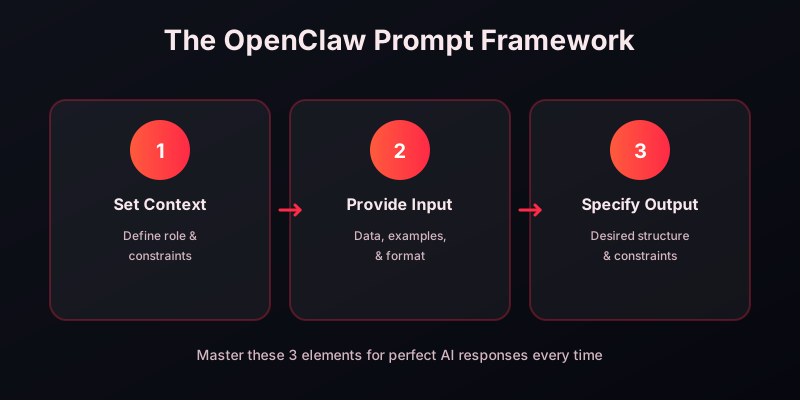
Remember to customize these prompts for your specific use case. The more context you provide about your business, customers, and goals, the better your OpenClaw assistant will perform.
Copy the link to this article and send it to your OpenClaw agent. It will read the guide, apply the relevant setup steps, and configure itself automatically — no manual work required.
Ready to deploy your AI agent?
Launch on your own dedicated cloud server in about 15 minutes.