Choose your deployment path
Start in managed cloud, install on your own infrastructure, or use an on-site/ship-in path when control requirements are higher.
OpenClawInstaller.ai helps teams launch messaging-native assistants, browser-capable workflows, and practical AI operators across managed cloud, on-site, and controlled hybrid deployment paths.

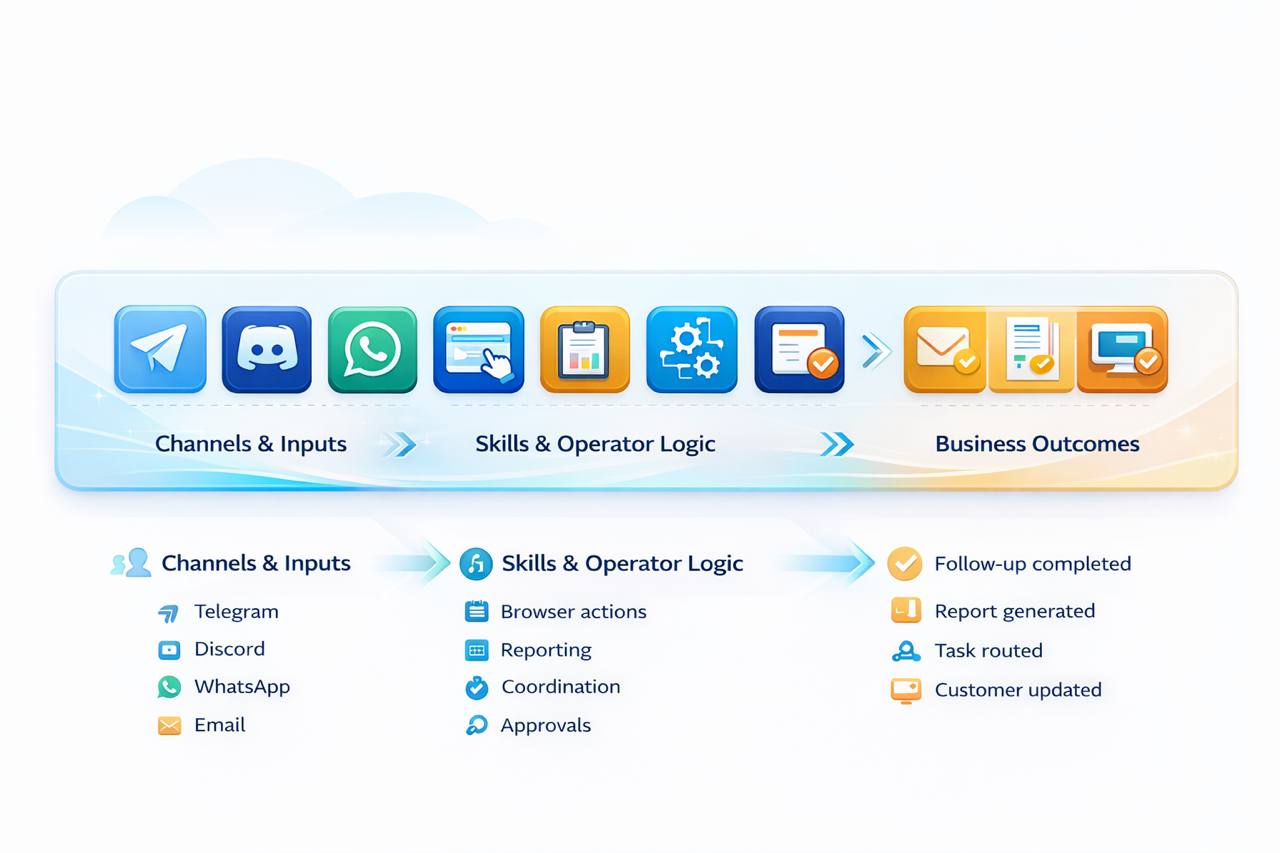
The operating model should be legible at a glance: clear handoffs, clear control points, and clear outcomes.
Start in managed cloud, install on your own infrastructure, or use an on-site/ship-in path when control requirements are higher.
Wire in messaging, browser workflows, provider keys, skills, and the operational systems the agent actually needs.
Set memory, approvals, escalation rules, workflow instructions, and the role the system should play inside the business.
Use live workflows, measure outcomes, tighten permissions, and scale from one useful operator into a system of operators.
Run assistants in Telegram, Discord, WhatsApp, and other channels where the work already happens.
Handle workflows that require a real browser, session state, and multi-step interaction instead of just API calls.
Persist decisions, preferences, entities, and operational state so the system gets better over time instead of resetting every session.
Insert policy gates and review steps where the business needs control without killing execution speed.
Use your own provider keys when control matters, or a managed path where that complexity should stay hidden.
Cloud, on-site, ship-in, and desktop gateway paths exist because buyers do not all operate in the same environment.
Some teams need the fastest route to value. Others need tighter control. The platform supports both without forcing one model on every buyer.
Launch a working OpenClaw environment on dedicated infrastructure with the operational overhead handled for you.
Deploy into your own environment when the business needs tighter security, internal infra alignment, or guided rollout.
Use managed setup and a controlled desktop path when the workflow still needs hands-on access without exposing raw internals.
Package the system around the teams and workloads that actually buy and operate it.
Inbox triage, research, reporting, follow-up, scheduling, monitoring, and task execution in one controlled operating layer.
See use cases →Deploy assistants that route requests, summarize work, move information across tools, and reduce handoff friction.
See use cases →Support browser automation, deployment guidance, infrastructure-aware workflows, and stricter control models when the environment requires it.
See use cases →The difference is architecture: continuous runtime, workflow control, browser capability, and delivery models that match how real teams operate.
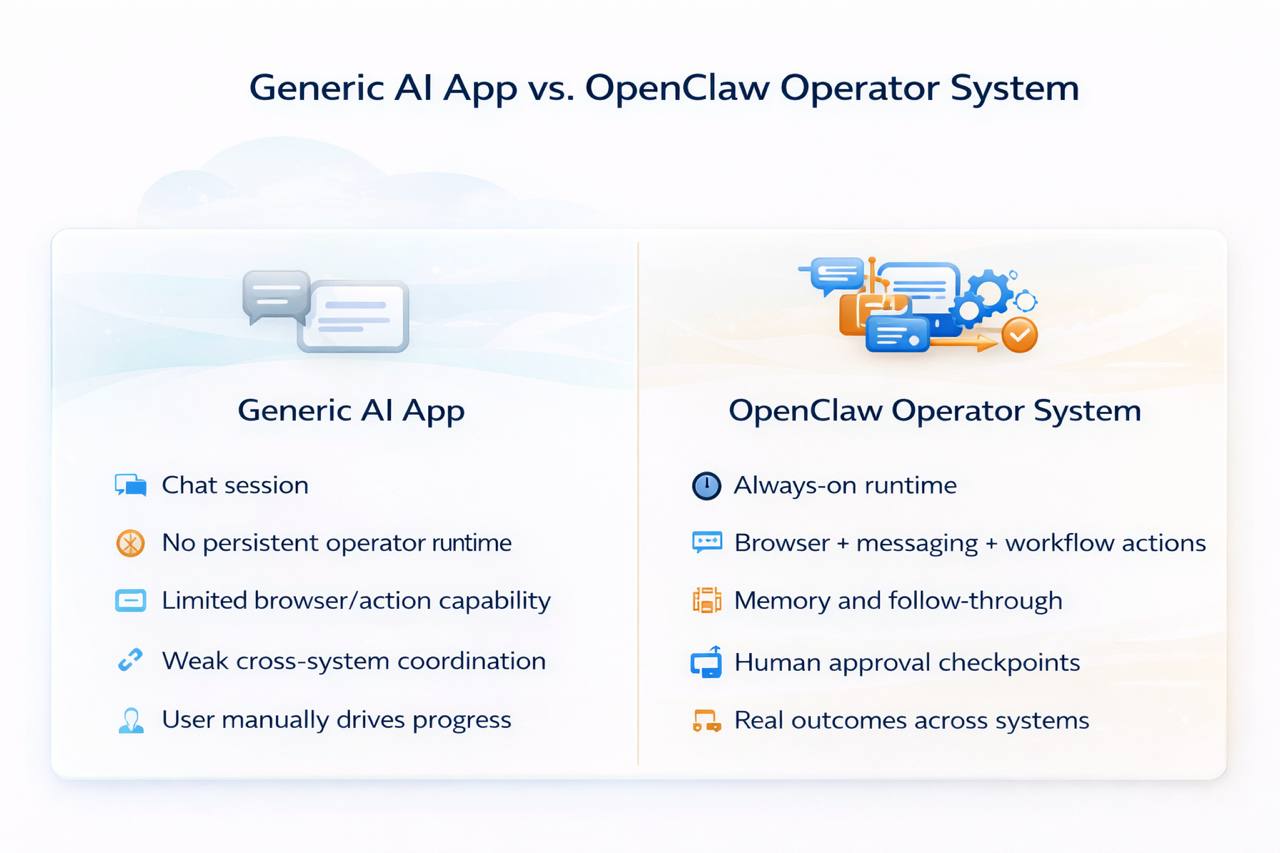
Choose the path that fits the environment, then build the system around real work instead of abstract AI promises.