Complete OpenClaw Installation Guide: From Zero to Deployed in 30 Minutes
Step-by-step installation guide for OpenClaw covering cloud deployment, local setup, Telegram/Discord/WhatsApp integration, and troubleshooting common issues.

These articles are written as deployment guidance, not content filler. If a section feels dense, that is intentional. The goal is to help a customer get to a working system faster, with fewer hidden infrastructure mistakes.
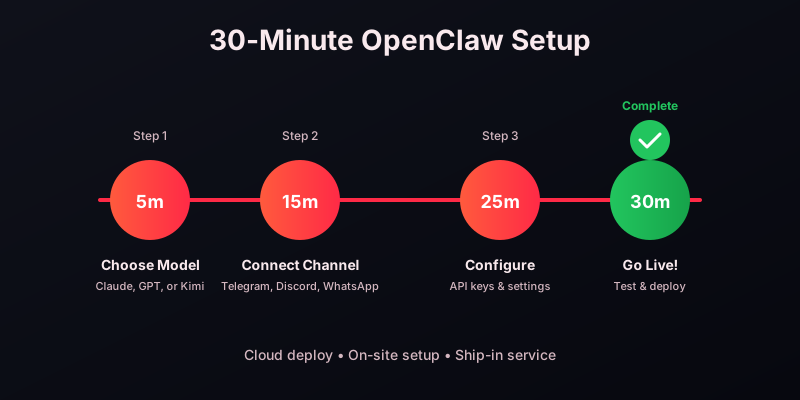
This guide walks you through installing OpenClaw from scratch. Whether you choose cloud deploy, on-site setup, or ship-in service, you will be up and running quickly.
CLOUD DEPLOY (FASTEST - 2 HOURS): Step 1: Choose your AI model (Kimi K2.5 recommended for beginners, Claude Opus for maximum capability). Step 2: Select your channel - Telegram for speed, Discord for teams, WhatsApp for reach. Step 3: Define your goal - support triage, internal ops, or growth workflows.
Step 4: Connect your accounts. For Telegram, create a bot via @BotFather and paste the token. For Discord, create an application in the Discord Developer Portal and enable the bot scope. For WhatsApp, use the WhatsApp Business API or pair via WhatsApp Web.
Step 5: Configure your environment variables including API keys for your chosen AI provider (OpenAI, Anthropic, or Moonshot). Step 6: Deploy and test with a simple conversation to verify connectivity.
ON-SITE SETUP (MOST SECURE): For teams with strict data requirements, we travel to your location and configure OpenClaw on your hardware. This includes full security hardening, network configuration, and team training. Typical setup time is one business day.
SHIP-IN SERVICE (BEST VALUE): Ship your hardware to our secure facility. We configure everything and ship it back ready to plug in. This saves on travel costs while maintaining hardware control. Turnaround is typically 3-5 business days.
TROUBLESHOOTING: If your bot does not respond, check: 1) API key validity and credits, 2) Bot token correctness, 3) Webhook URL configuration, 4) Firewall settings for on-site deployments. Our support team is available 24/7 for assistance.
Copy the link to this article and send it to your OpenClaw agent. It will read the guide, apply the relevant setup steps, and configure itself automatically — no manual work required.
Ready to deploy your AI agent?
Launch on your own dedicated cloud server in about 15 minutes.